Tutorials & Mobile App
Video Tutorials
Watch all the videos below to install the phone app, navigate the app and website, and get that coveted promo code!
Play on iPhone
No app download needed! Add Euchre Freekz to your home screen for a full-screen app experience.
How to Install on iPhone:
- Open euchrefreekz.com in Safari
- Tap the Share button (the square with an arrow at the bottom of the screen)
- Scroll down and tap "Add to Home Screen"
- Tap "Add" in the top right corner
- Open the Euchre Freekz icon from your home screen — enjoy!
Works just like a real app — no App Store required!
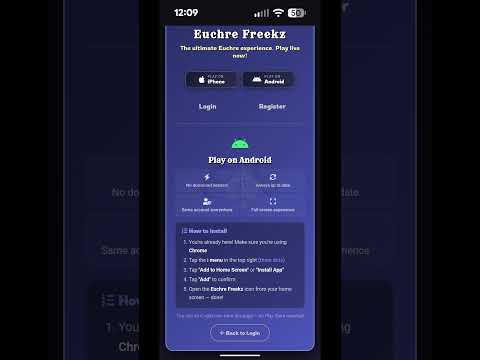
Play on Android
No app download needed! Add Euchre Freekz to your home screen for a full-screen app experience.
How to Install on Android:
- Open euchrefreekz.com in Chrome
- Tap the ⋮ menu (three dots in the top right)
- Tap "Add to Home Screen" or "Install App"
- Tap "Add" to confirm
- Open the Euchre Freekz icon from your home screen — enjoy!
Works just like a real app — no Play Store required!
Why No App Download?
Euchre Freekz is a Progressive Web App (PWA)
When you add it to your home screen, it works exactly like a native app — full screen, fast, and always up to date. No downloads, no app store updates, no storage used. Same game, same account, everywhere.